
Set up GeekProxy in OpenClaw and Browser Use
An AI agent has two kinds of traffic: its own calls to the LLM provider and channels, and the Chromium it drives to browse the web. OpenClaw and Browser Use put the proxy in different places for each, and the browser half has one hard limit that comes from Chromium itself. This guide covers both tools and both halves.
You'll need: an active GeekProxy plan and the proxy credentials from your dashboard. Each config change takes a couple of minutes; running an agent also needs an LLM API key.
Get proxies1 Before you start
The limit first, because it decides which plan you buy. Chromium's --proxy-server switch has no field for a login and password, and Chromium has no SOCKS authentication at all. A tool that drives Chromium can add credentials only for an HTTP proxy, by answering the browser's 407 challenge over CDP. Browser Use does that. OpenClaw documents no such mechanism for its managed browser. So for the browser part the rule is: HTTP with login and password where the tool supports it, otherwise SOCKS5 or HTTP with an IP whitelist. SOCKS5 with a password never works in either browser.
- OpenClaw's runtime proxy (
proxy.proxyUrl) takes anhttp://orhttps://URL with credentials. It covers the gateway process, not the browser - OpenClaw's managed browser takes a plain Chromium flag in
browser.extraArgs, no credentials, so IP whitelist - Browser Use takes a
ProxySettingsobject withserver,bypass,usernameandpassword. The credentials work for HTTP proxies only - Neither tool reads
HTTP_PROXYfor the browser. Don't set it hoping Chrome will notice
What you'll need
- Active GeekProxy plan (residential, ISP or datacenter)
- Proxy credentials from your dashboard: Host, Port, Username, Password
- OpenClaw installed with its managed Chromium, or Python with
pip install browser-useand a local Chromium
- Field Where it comes from
- Protocol HTTP
- Host IP or gateway hostname from the dashboard
- Port from the dashboard
- Username from the dashboard
- Password from the dashboard
2 Where to get your credentials
- Log in to your GeekProxy dashboard
- Open the plan. For per-IP plans (datacenter, ISP) the IP list, ports, login and password sit right on the card, and Export hands you the whole list as text
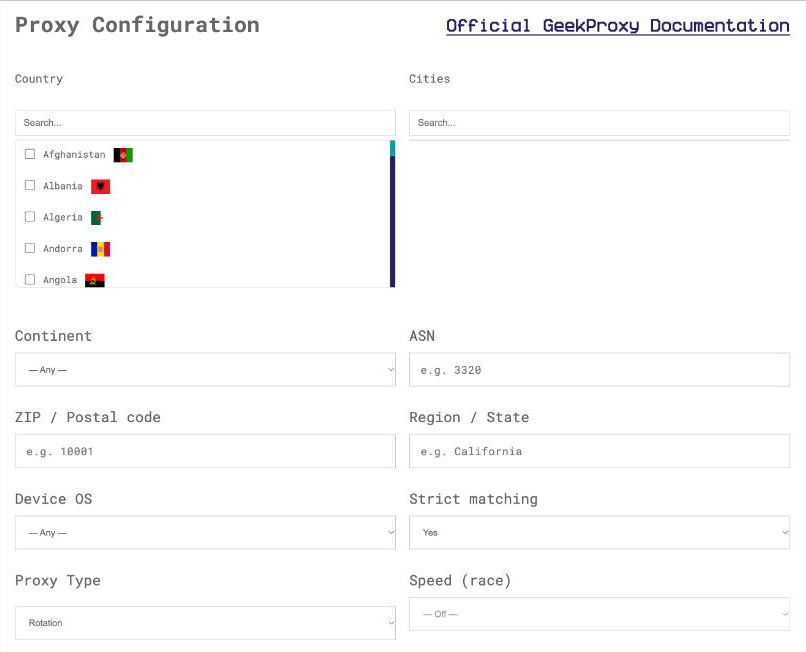
- For residential and mobile plans click Options. The Proxy Configuration panel builds the login string with your country, city and session settings. Copy the finished line from the Proxy List
An agent task is a sequence of page loads that should look like one visitor. Build a sticky login: on Residential Turbo a session_id with session_time up to 1440 minutes, on Flex a session_time up to 120 minutes. The panel does the string for you.
3 OpenClaw: the agent's own traffic
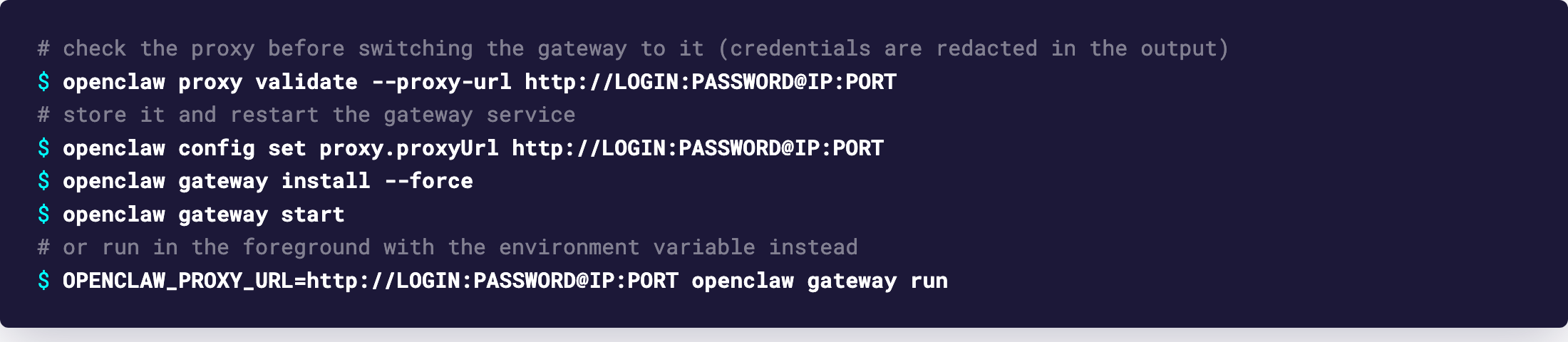
OpenClaw has a managed proxy for everything the gateway process sends: LLM provider calls, channel connections, web_fetch. The config key is proxy.proxyUrl, and the env variable OPENCLAW_PROXY_URL is the fallback; the config key wins when both are set. Credentials go in the URL, and the docs say they are treated as sensitive and redacted from snapshots and logs.
openclaw config set proxy.proxyUrl http://LOGIN:PASSWORD@IP:PORT
openclaw gateway install --force
openclaw gateway start

# or, foreground:
OPENCLAW_PROXY_URL=http://LOGIN:PASSWORD@IP:PORT openclaw gateway run
The scheme describes the hop to the proxy. With http:// OpenClaw opens plain TCP to the proxy and sends HTTP proxy requests, including CONNECT for HTTPS destinations, which is exactly what a GeekProxy port expects. Coverage is wide on purpose: fetch, undici clients, node:http and node:https, common WebSocket clients. It also replaces caller-provided Node agents, so axios, got or node-fetch inside a plugin can't slip past it. Raw net, tls and http2 code and child processes may still bypass it, and IRC is raw TCP, not proxied.
Before you restart the gateway, run openclaw proxy validate --proxy-url http://LOGIN:PASSWORD@IP:PORT. It fetches example.com through the proxy and checks that a loopback canary is blocked; credentials are redacted in the output. The check was designed for egress-filtering proxies, but a GeekProxy exit passes it, since a transport failure on the canary counts as blocked.
SOCKS5 is not an option here. The docs define proxy.proxyUrl as an http:// or https:// forward proxy URL, nothing else.
4 OpenClaw: the managed browser
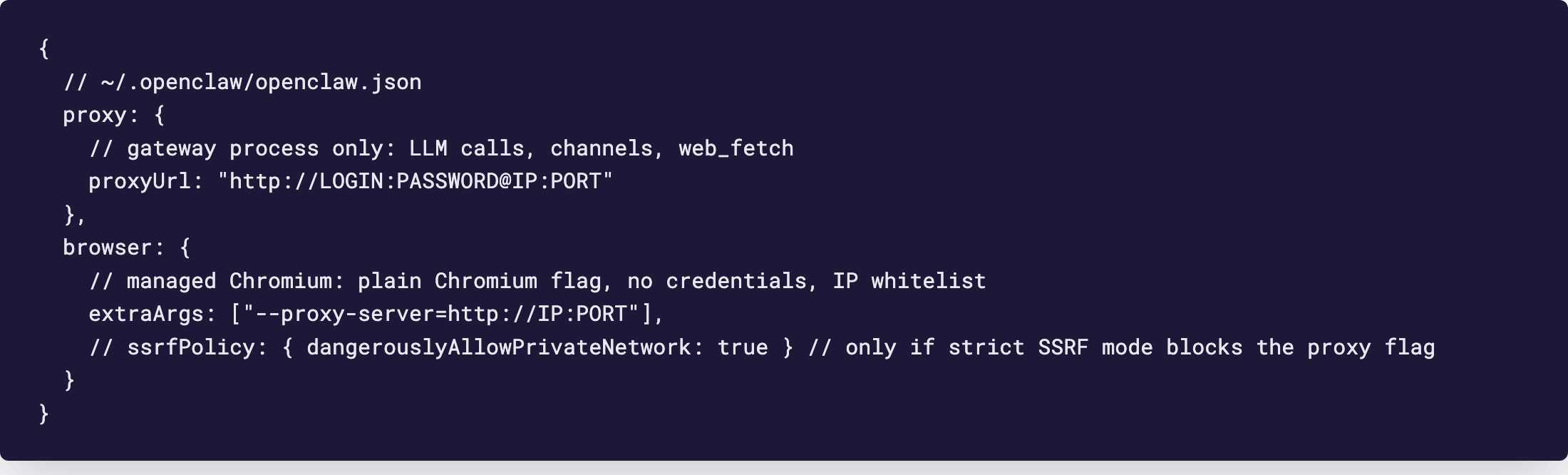
proxy.proxyUrl does not reach the browser. The browser configuration page says it plainly: gateway HTTP_PROXY, HTTPS_PROXY, ALL_PROXY and NO_PROXY do not proxy the managed browser. Managed Chrome launches direct by default, so that proxy settings can't weaken its SSRF checks. To proxy the browser you pass Chrome flags through browser.extraArgs in ~/.openclaw/openclaw.json.
{
  proxy: {
    proxyUrl: "http://LOGIN:PASSWORD@IP:PORT"
  },
  browser: {
    extraArgs: ["--proxy-server=http://IP:PORT"],
    // ssrfPolicy: { dangerouslyAllowPrivateNetwork: true } // only if strict SSRF mode blocks the proxy flag
  }
}
Note what's missing in the browser block: a login and password. The flag is Chromium's own, it has no credential field, and OpenClaw documents no handler that would answer the proxy's 407. So the browser needs a plan in IP-whitelist mode, with the gateway host's public IP on the list. The docs add one more condition: strict SSRF mode blocks explicit browser proxy routing unless private-network browser access is intentionally enabled, which is what the commented line is for. CDP readiness checks and the DevTools WebSocket bypass the proxy for the launched loopback endpoint, so openclaw browser start keeps working.
This applies to the Chrome that OpenClaw launches. With a remote CDP endpoint or a hosted browser provider, OpenClaw doesn't start the browser, so the flag has nothing to attach to. Any proxying then has to come from the provider's own settings.
5 Browser Use
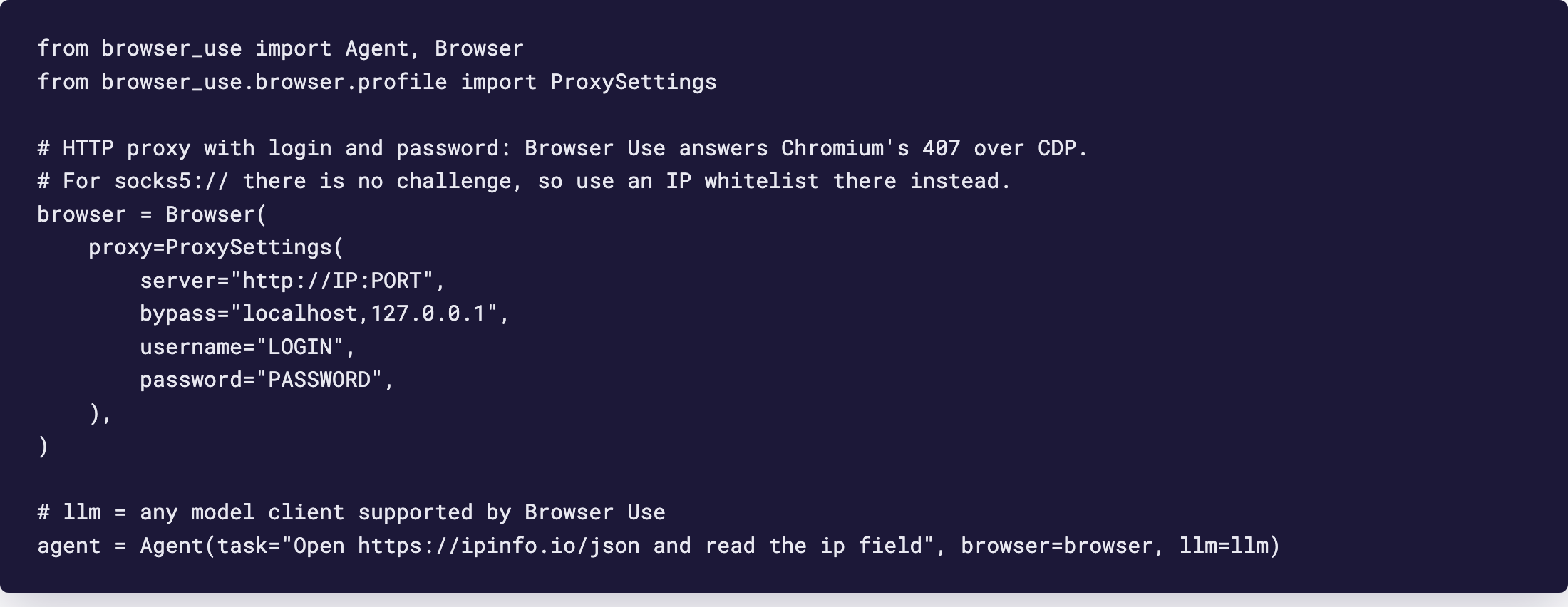
Browser Use is the friendlier of the two. The Browser (or BrowserProfile) parameter proxy takes a ProxySettings object with four fields: server, bypass, username and password. The docs list it under Network and Security.
from browser_use import Agent, Browser
from browser_use.browser.profile import ProxySettings

browser = Browser(
    proxy=ProxySettings(
        server="http://IP:PORT",
        bypass="localhost,127.0.0.1",
        username="LOGIN",
        password="PASSWORD",
    ),
)
agent = Agent(task="Open https://ipinfo.io/json and read the ip field", browser=browser, llm=llm)
How the credentials get in is worth knowing, because it explains the SOCKS5 limit. server and bypass become the Chromium flags for the proxy server and the bypass list. The username and password are not flags. Browser Use enables CDP Fetch with auth handling and answers every Fetch.authRequired event whose challenge comes from the proxy with your credentials. The authenticated proxy support PR (#2738, merged 2025-08-21) says it in one sentence: CDP has no command-line argument for proxy credentials, so they must be provided through Fetch events. An HTTP proxy raises that 407 challenge. A socks5:// server never does, so the credentials are never sent. SOCKS5 here means IP whitelist.
The same four values can come from the environment, read from the source: BROWSER_USE_PROXY_URL for the server, BROWSER_USE_NO_PROXY for the bypass list, BROWSER_USE_PROXY_USERNAME and BROWSER_USE_PROXY_PASSWORD. The repo's .env.example still shows an older name, BROWSER_USE_PROXY_SERVER, which the loader doesn't read. Use the _URL one.
Don't set HTTP_PROXY for a Browser Use process. Chromium ignores it on macOS and Windows, and on older versions it broke Browser Use's own CDP calls to localhost on Windows (issue #4050, a JSONDecodeError on /json/version). Fixes landed in PRs #4055, #4063, #4070 and #5080, but the proxy still belongs in ProxySettings. Note too that ProxySettings covers only the browser; the Python side's LLM calls stay direct.
6 Verify it works
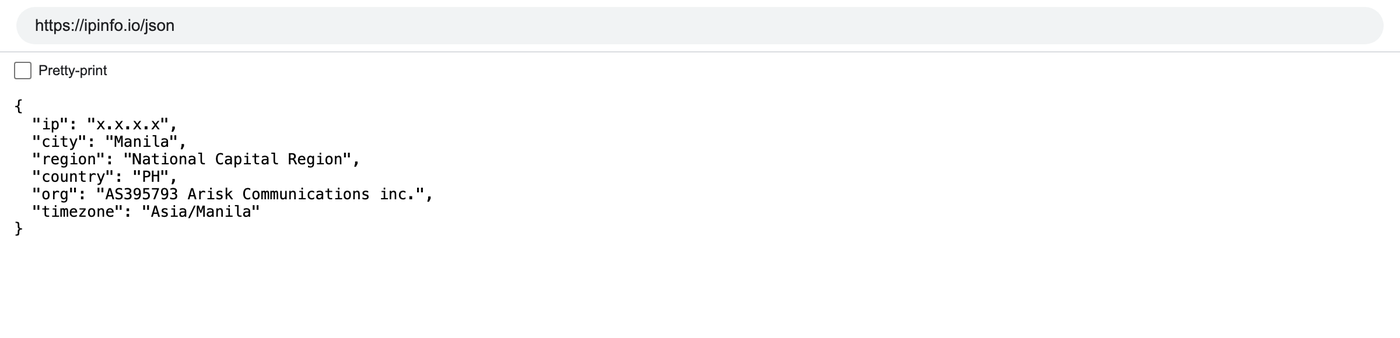
Give the agent one task: open https://ipinfo.io/json and read the ip field. The ip must be the proxy address, not the machine's. On an ISP or datacenter plan that is the address from your dashboard, on Residential or Turbo it is an address from the pool in the country you picked. For OpenClaw, openclaw browser start and a tab on the same URL does the job without spending tokens. For the gateway side, openclaw proxy validate is the check.
7 Which GeekProxy product fits
The browser half browses consumer sites, so it wants a residential exit that holds still for the whole task: Residential Turbo with a sticky session, or Residential Flex with a session of up to 120 minutes and the -os-windows exit filter. In Browser Use that is HTTP with login and password. For OpenClaw's browser, which can't send credentials, pair the plan with an IP whitelist; a datacenter or ISP static IP with the gateway host whitelisted is the simplest setup. The agent's own LLM and channel traffic has no use for rotation: one stable address, ISP static or datacenter IPv4, no traffic counter. Never SOCKS5 for the browser part.
8 Common issues
OpenClaw: the browser still shows my own IP
proxy.proxyUrl doesn't cover the browser. Add browser.extraArgs with the --proxy-server flag and restart the browser.
OpenClaw: the proxy flag is rejected
Strict SSRF mode blocks explicit browser proxy routing. Enable private-network browser access on purpose, as the docs describe, or stay out of strict mode.
OpenClaw: 407 from the browser's proxy
There is no place for a password in the browser block. Switch the plan to IP whitelist and add the host's public IP.
Browser Use: credentials set, still 407 or a blank page
The server is socks5://. Chromium raises no auth challenge for SOCKS, so the username and password are never used. Use the HTTP port of the plan, or SOCKS5 with a whitelisted IP.
Browser Use: CDP fails to start on Windows
An HTTP_PROXY variable in the environment. Unset it, update Browser Use, and keep the proxy in ProxySettings.
Get proxies for AI agents
Sticky residential sessions for the browser, static IPs for the agent's API traffic, ready in seconds.
Place an order