
Set up GeekProxy in nodriver
nodriver is the official successor of undetected-chromedriver: no webdriver, no Selenium, direct CDP talk with Chrome. It also solved the one thing its predecessor never could, a proxy with a login and password, and it did so per browser context. This guide covers both ways to set a proxy, how the built-in forwarder makes credentials work, and where SOCKS5 fits.
You'll need: an active GeekProxy plan and the proxy credentials from your dashboard. Setup takes about five minutes.
Get proxies1 Before you start
nodriver drives a real Chrome, so the proxy applies to everything a proxied context loads: pages, XHR, websockets, media. Your Python code outside the browser is not covered; requests or httpx calls in the same script go direct. Two mechanisms exist, and only one handles credentials.
browser_args=["--proxy-server=..."]sets a proxy for the whole browser. Chromium's switch has no credential field, so this is for IP whitelist plansbrowser.create_context(proxy_server="...")gives one tab its own proxy and acceptshttp://LOGIN:PASSWORD@IP:PORT. The docstring calls the parameter experimental; it is the documented way nonetheless
SOCKS5 with a login and password: documented as supported through the same forwarder, with two spellings in the docs, socks:// in the docstring and socks5:// in the quickstart. Issue #29 reported ERR_TIMED_OUT with exactly that form and was closed in March 2026 without a fix note, so we would not bet a project on it. HTTP with credentials is the path we recommend, SOCKS5 without credentials plus a whitelist is the fallback.
What you'll need
- Active GeekProxy plan (residential, ISP or datacenter)
- Proxy credentials from your dashboard: Host, Port, Username, Password
pip install nodriverand Chrome or another Chromium-based browser installed; Windows, macOS or Linux
- Field Where it comes from
- Protocol HTTP (SOCKS5 preferably with IP whitelist)
- Host IP or gateway hostname from the dashboard
- Port from the dashboard
- Username from the dashboard
- Password from the dashboard
2 Where to get your credentials
- Log in to your GeekProxy dashboard
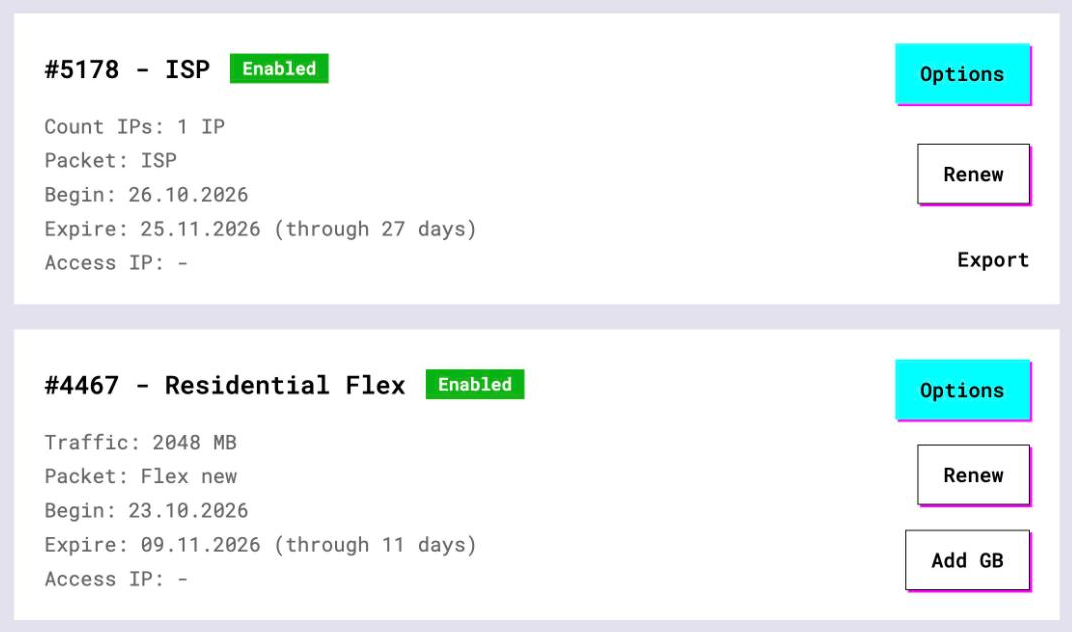
- Open the plan. For per-IP plans (datacenter, ISP) the IP list, ports, login and password sit right on the card, and Export hands you the whole list as text
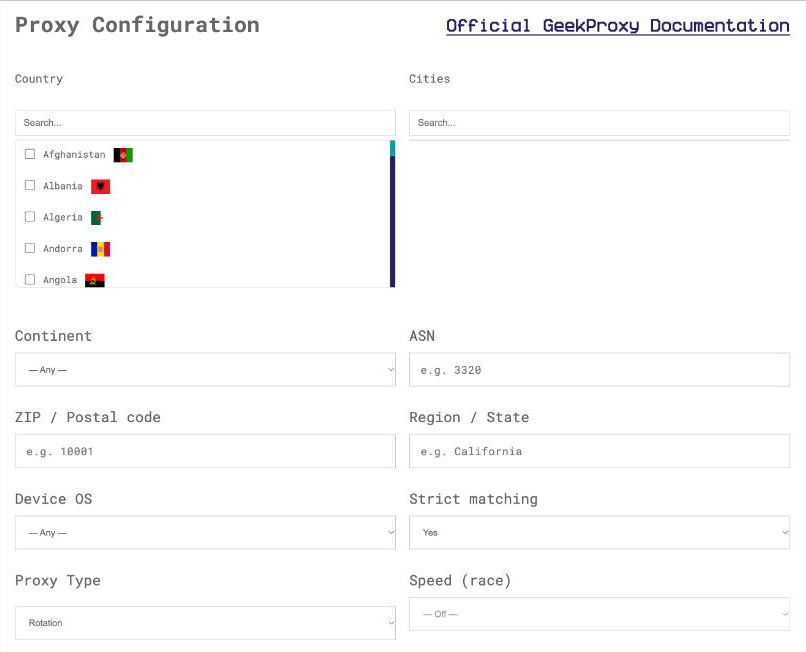
- For residential and mobile plans click Options. The Proxy Configuration panel builds the login string with your country, city and session settings. Copy the finished line from the Proxy List
The forwarder parses the proxy URL with urllib.parse.urlparse, so @, : and / inside the password must be percent-encoded. Build one sticky login per browser context: a Turbo session_id or a Flex session_time, as described in the next step.
3 Whole browser, IP whitelist
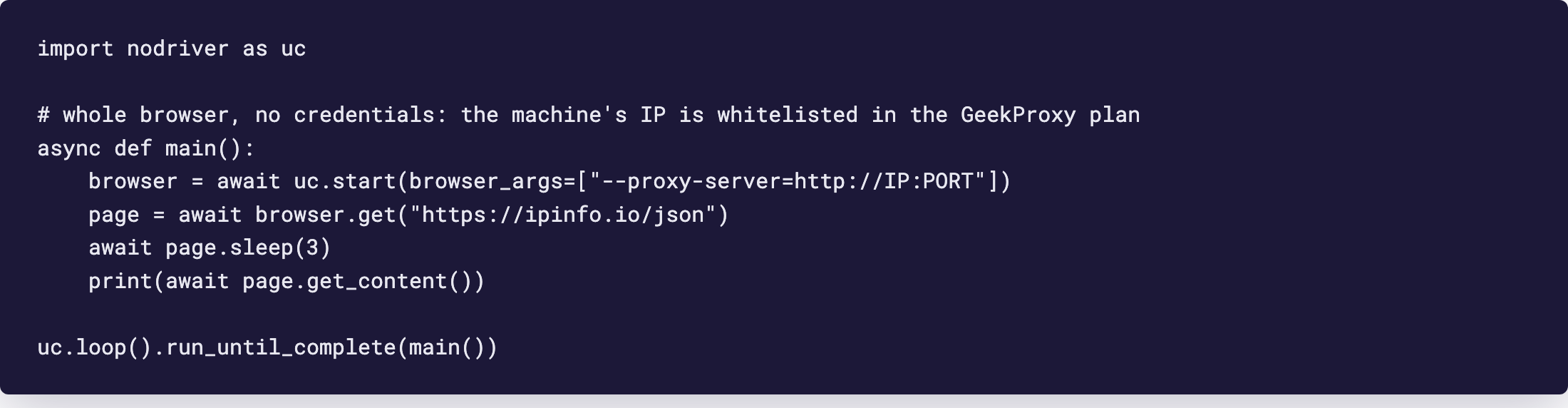
The README and quickstart show browser_args as a plain list of Chromium switches. Put --proxy-server in it and every tab of the browser uses the proxy. Chrome cannot answer the proxy's 407 here, so this form only works when the machine's IP is whitelisted in the plan and the string carries no login.
import nodriver as uc

async def main():
    browser = await uc.start(browser_args=["--proxy-server=http://IP:PORT"])
    page = await browser.get("https://ipinfo.io/json")
    await page.sleep(3)
    print(await page.get_content())

uc.loop().run_until_complete(main())
Find the public IP of the machine with curl https://ipinfo.io/json first and add it to the plan. For SOCKS5 the switch reads --proxy-server=socks5://IP:PORT; Chrome's DNS prefetcher still resolves names locally in that case unless you add --host-resolver-rules, a Chromium note rather than a nodriver one.
4 One proxy per context, with login and password
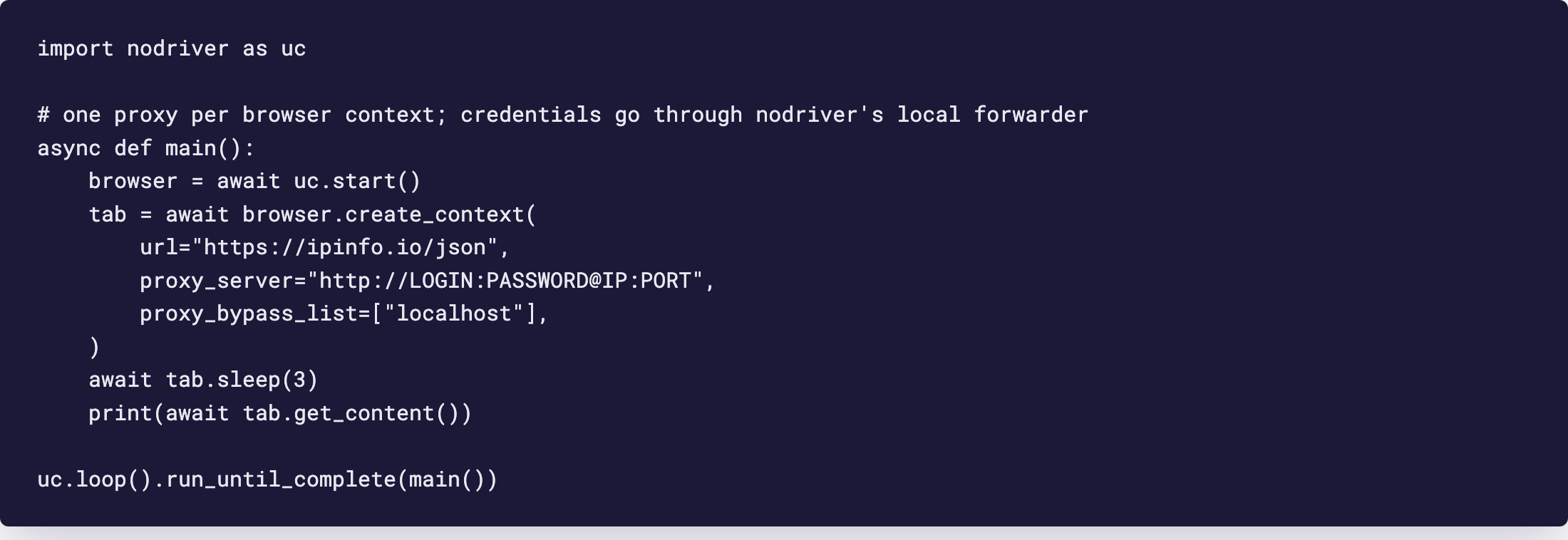
The quickstart section is titled "Proxies (socks5, authenticated too)". Its pitch fits in one line: create as many browser contexts as you like, each with a different proxy, where Chrome normally allows one proxy per browser. The method is browser.create_context(), and its docstring spells out the formats: http://USERNAME:PASSWORD@SERVER:PORT for HTTP and HTTPS proxies, socks://USERNAME:PASSWORD@SERVER:PORT for SOCKS. The snippet printed in the quickstart has broken syntax, so here is the working form.
import nodriver as uc

async def main():
    browser = await uc.start()
    tab = await browser.create_context(
        url="https://ipinfo.io/json",
        proxy_server="http://LOGIN:PASSWORD@IP:PORT",
        proxy_bypass_list=["localhost"],
    )
    await tab.sleep(3)
    print(await tab.get_content())

uc.loop().run_until_complete(main())
Keep working with the tab that create_context returns. The browser's own get() belongs to the default context, which has no proxy. The signature also takes new_tab, new_window (default True, so each context opens its own window), dispose_on_detach and proxy_ssl_context for proxies that speak TLS themselves, which GeekProxy ports do not need.
Five accounts, five proxies, one Chrome process: call create_context five times with five sticky logins. That is the feature the maintainer pointed to when closing issue #4 in March 2025, after a year of requests for exactly this.
tab_a = await browser.create_context(
    url="https://ipinfo.io/json",
    proxy_server="http://LOGIN:PASSWORD@IP:PORT",   # login with session_id A
)
tab_b = await browser.create_context(
    url="https://ipinfo.io/json",
    proxy_server="http://LOGIN:PASSWORD@IP:PORT",   # login with session_id B
)
How the credentials actually work
CDP's Target.createBrowserContext takes a proxyServer string with the same syntax as the command-line switch, so it cannot carry a password either. nodriver works around that with a local forwarder. When the URL has a username and password, ProxyForwarder picks a free port on 127.0.0.1, starts an asyncio server and hands Chrome http://127.0.0.1:<port>. Chrome sends an unauthenticated CONNECT to it, the forwarder opens the upstream connection and adds the credentials itself. No credentials in the URL, no forwarder: the string goes to Chrome as-is.
Three things follow from that design. The forwarder only accepts CONNECT and answers anything else with 400, so plain http:// sites through an authenticated proxy are untested ground; try one before you rely on it. The forwarder lives inside your Python process, so the proxy path dies when the script exits. And it logs the full proxy URL, password included, at INFO level. Raise the log level or scrub your logs before sharing them.
Chrome's own switch is a different mechanism. A --proxy-server in browser_args with a login inside will not get the forwarder; Chrome just shows its auth dialog. Credentials belong in create_context only.
5 What changed since undetected-chromedriver
The README states the lineage plainly: nodriver is the official successor of undetected-chromedriver, with no webdriver and no Selenium in between. Direct CDP communication gives better resistance against web application firewalls and a large performance gain, the module is fully asynchronous, and it cleans up its profile files afterwards.
For the proxy topic the difference is bigger than the README lets on. undetected-chromedriver's own README shows only opts.add_argument(f'--proxy-server=socks5://127.0.0.1:9050'), a proxy without credentials. Authenticated proxies there needed a helper extension or a CDP Fetch.authRequired handler, and both were community workarounds. create_context(proxy_server=...) replaces all of that, and adds one proxy per context in a single browser process. If you are porting a UC script, delete the extension code first.
6 Verify it works
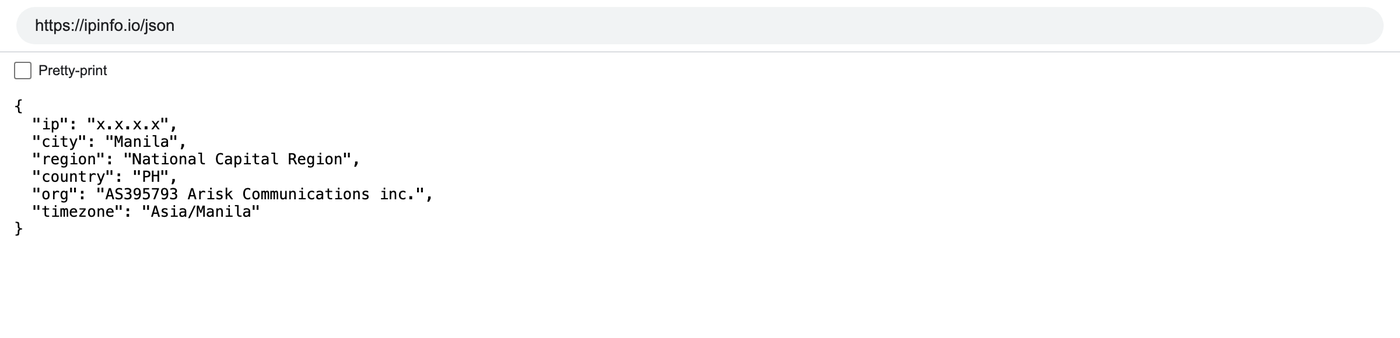
Every snippet above opens https://ipinfo.io/json and prints the page. The ip field must show the proxy address, not your own. On an ISP or datacenter plan that is the address from your dashboard, on Residential or Turbo it is an address from the pool in the country you picked.
With two contexts, open the same URL in both windows and compare. Two different IPs prove the per-context proxy took effect. The same IP in both means the two logins share a session id, or one of the tabs came from browser.get() instead of create_context().
7 Which GeekProxy product fits
A nodriver session is a browser session on a consumer site, which wants a residential exit that stays put for the life of the cookies. Residential Turbo with a sticky session_id and session_time up to 1440 minutes, over HTTP, is the default choice. Residential Flex with session_time up to 120 minutes and the -os-windows filter matches a desktop Chrome fingerprint on shorter tasks. Accounts that must keep one IP for weeks go on ISP static or datacenter IPv4, one IP per context, where an IP whitelist removes the forwarder from the picture entirely. Mobile is for mobile-only flows. SOCKS5 adds nothing here.
8 Common issues
Chrome shows a proxy login dialog
The credentials went into browser_args, where Chromium ignores them. Move the proxy to create_context(proxy_server=...) or whitelist the IP and drop the login.
The page loads with my real IP
You navigated with browser.get(), which opens the default context. Use the tab returned by create_context(), with url= or its own get().
ERR_TIMED_OUT with socks5://LOGIN:PASSWORD@IP:PORT
Known report, closed without a fix note. Switch the same plan to its HTTP port with credentials, or keep SOCKS5 and whitelist the IP.
My password shows up in the log
The forwarder logs the proxy URL at INFO. Raise the logging level for nodriver or redact before pasting logs anywhere.
Wrong password error, although it is correct
Special characters. Percent-encode @, : and / in the password, since the URL goes through urlparse.
A plain http:// site fails through the authenticated proxy
The forwarder speaks CONNECT only. Test such sites explicitly, or use an IP whitelist plan through browser_args for them.
Get proxies for nodriver
Sticky residential sessions over HTTP, or static ISP and datacenter IPs per context, ready in seconds.
Place an order