
Set up GeekProxy in Scrapy
Scrapy has no proxy field in settings.py, which surprises people on day one. It has a middleware that reads a proxy URL from each request, plus the usual environment variables. This guide covers both paths, what the middleware does with your password, SOCKS5 through the httpx handler, and sticky sessions on one gateway.
You'll need: an active GeekProxy plan and the proxy credentials from your dashboard. The first proxied crawl takes about five minutes.
Get proxies1 Before you start
Proxy support in Scrapy lives in one downloader middleware, HttpProxyMiddleware. It is on by default at order 750 in DOWNLOADER_MIDDLEWARES_BASE, so there is nothing to install. Its job, in the words of the docs: set the HTTP proxy for a request by reading the proxy meta value. Two settings control it, HTTPPROXY_ENABLED (default True) and HTTPPROXY_AUTH_ENCODING (default "latin-1").
That is the whole surface. Project-wide means environment variables, per-request means meta['proxy'], and a ten-line middleware can bridge the two.
- The proxy URL format is
scheme://[user:pass@]host:port. Scrapy does not parsehost:port:user:passlines http://is the normal scheme. Anhttps://proxy only works forhttp://targets, and since 2.16.0 the default handler raises when target and proxy are bothhttps://. GeekProxy ports are plain HTTP proxy ports, sohttp://it is- SOCKS5 needs the httpx download handler. Section 5 has the verdict
- Only the spider's downloads go through the proxy. Feed exports, the Telnet console and Scrapyd are untouched unless they read the same environment variables
What you'll need
- Active GeekProxy plan (residential, ISP or datacenter)
- Proxy credentials from your dashboard: Host, Port, Username, Password
- Python 3 with Scrapy installed. Scrapy 2.17 or newer if you plan to use the httpx handler
- Field Where it comes from
- Protocol HTTP (SOCKS5 only with the httpx handler)
- Host IP or gateway hostname from the dashboard
- Port from the dashboard
- Username from the dashboard
- Password from the dashboard
2 Where to get your credentials
- Log in to your GeekProxy dashboard
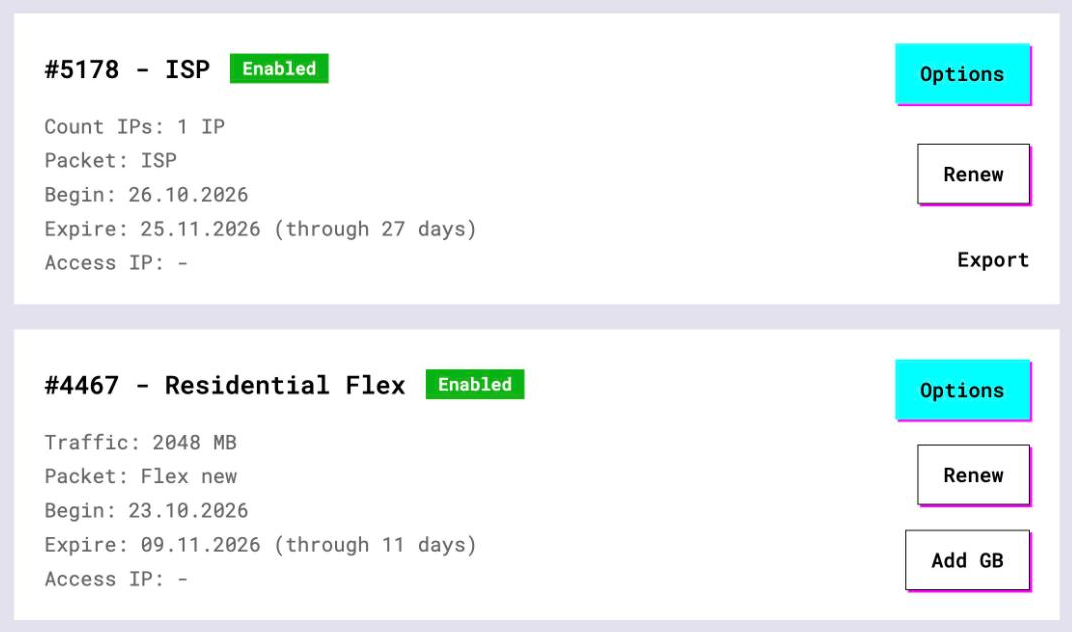
- Open the plan. For per-IP plans (datacenter, ISP) the IP list, ports, login and password sit right on the card, and Export hands you the whole list as text
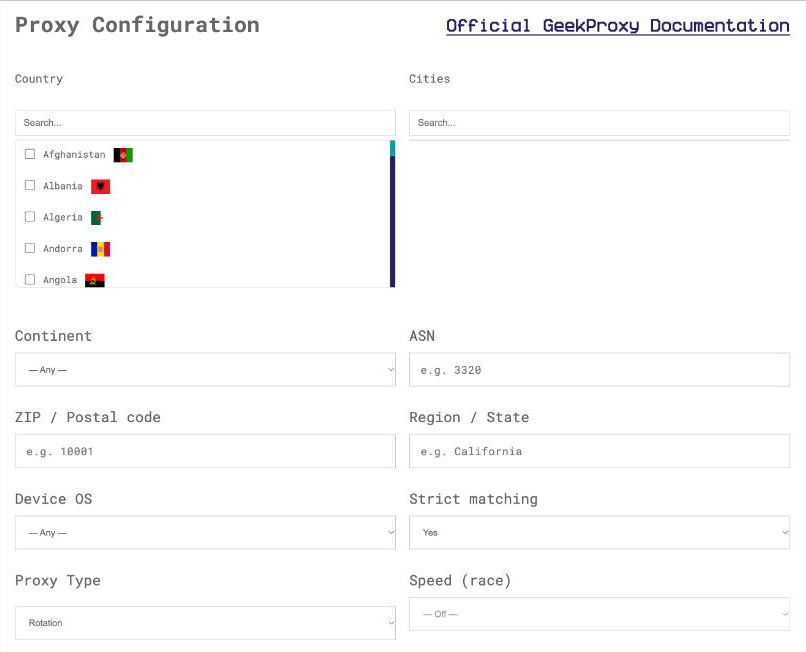
- For residential and mobile plans click Options. The Proxy Configuration panel builds the login string with your country, city and session settings. Copy the finished line from the Proxy List
For a crawler the session settings matter more than the country. Turbo takes session_id and session_time (1 to 1440 minutes). Flex takes session_time up to 120 minutes and the -os-windows exit filter.
3 Whole project: environment variables
Like urllib.request in the standard library, the middleware obeys http_proxy, https_proxy and no_proxy. Export them in the shell that runs the crawl and every request of every spider goes out through the proxy. Credentials inside the variable are parsed by the same function as meta['proxy'], so the same URL form works.
export https_proxy="http://LOGIN:PASSWORD@IP:PORT"
export http_proxy="http://LOGIN:PASSWORD@IP:PORT"
scrapy crawl ip
Set both. The variable is chosen by the scheme of the target URL, and a crawl that starts on https:// can still follow a redirect to http://. no_proxy keeps a host off the proxy, useful when the spider also talks to your own API.

Environment variables are the only project-wide switch Scrapy ships. Want the proxy picked in code? A small downloader middleware that fills request.meta['proxy'] before order 750 does it. Section 4 shows one.
4 Per request: the proxy meta key
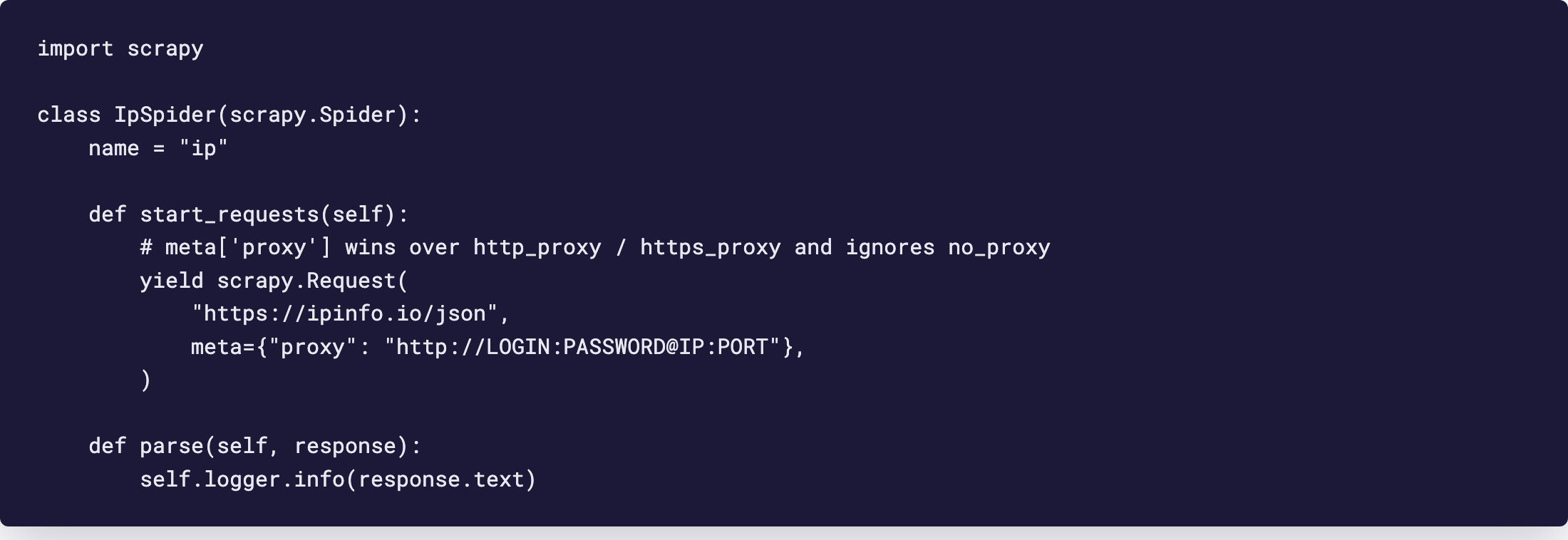
Set the meta key proxy on a request to http://IP:PORT or http://LOGIN:PASSWORD@IP:PORT. The docs attach two warnings. This value takes precedence over http_proxy and https_proxy, and it ignores no_proxy completely. A spider that checks its exit IP looks like this.
import scrapy

class IpSpider(scrapy.Spider):
    name = "ip"

    def start_requests(self):
        yield scrapy.Request(
            "https://ipinfo.io/json",
            meta={"proxy": "http://LOGIN:PASSWORD@IP:PORT"},
        )

    def parse(self, response):
        self.logger.info(response.text)
meta={"proxy": None} does the opposite: it switches the proxy off for that one request even when the environment variables are set.
The same proxy on every request, from code
Scrapy ships no official snippet for this. The one below is derived from two documented facts: the proxy meta key, and the order 750 of the built-in middleware. Anything that runs earlier and fills the key wins.
# middlewares.py
class GeekProxyMiddleware:
    def process_request(self, request, spider):
        request.meta.setdefault("proxy", "http://LOGIN:PASSWORD@IP:PORT")

# settings.py
DOWNLOADER_MIDDLEWARES = {
    "myproject.middlewares.GeekProxyMiddleware": 700,
}
HTTPPROXY_AUTH_ENCODING = "utf-8"
What happens to the password
The docs only say that credentials may sit in the URL. The exact rules are in the middleware source, and they bite people more often than you'd think. The middleware percent-decodes the userinfo, encodes it with HTTPPROXY_AUTH_ENCODING and writes a Proxy-Authorization: Basic header. Then it strips the credentials from meta['proxy'] and remembers which proxy URL the header belongs to.
Three consequences follow. Code that reads response.meta['proxy'] later sees the URL without the login. A retry or redirect to the same proxy keeps the header. A request aimed at a different proxy URL without credentials loses it, because the middleware deletes the stale header. So when you swap the proxy per item, pass the login and password again. Every time.
The default encoding is latin-1. A password with non-Latin characters needs HTTPPROXY_AUTH_ENCODING = "utf-8" in settings.py. Special characters such as @ or : go percent-encoded inside the URL; the middleware decodes them before building the header.
5 SOCKS5, rotation and sticky sessions
SOCKS5 with a login and password does work in Scrapy, with one catch: only the httpx download handler speaks SOCKS. The default Twisted-based handler does not, and the HTTP/2 handler ignores the proxy meta key altogether. Scrapy 2.17.0 (July 2026) added SOCKS and HTTP/2 to HttpxDownloadHandler; 2.19.0 (September 2026) moved that handler to httpx2, installed with pip install scrapy[httpx]. The switch happens in DOWNLOAD_HANDLERS, mapping the http and https keys to the handler class. Take the class path from the API reference of your installed version, because it has moved between releases.
With that handler a URL like socks5://LOGIN:PASSWORD@IP:PORT is accepted. Whether socks5h:// (DNS on the proxy side) is honoured inside Scrapy we did not confirm. An HTTP proxy never raises that question, since CONNECT carries the hostname. Our advice: stay on http:// unless something specific pulls you to SOCKS.
One rotating gateway
A Turbo or Flex login already rotates. Each new TCP connection can land on a new exit, and that is the whole trick. Scrapy keeps connections alive per host, so a run of requests to one site may share an exit until the connection closes. Expected, not a bug. Want one IP per account? Put a Turbo session_id or a Flex session_time login into meta['proxy'] for every request of that item. CONCURRENT_REQUESTS_PER_DOMAIN counts the target domain, not the proxy.
A list of static IPs
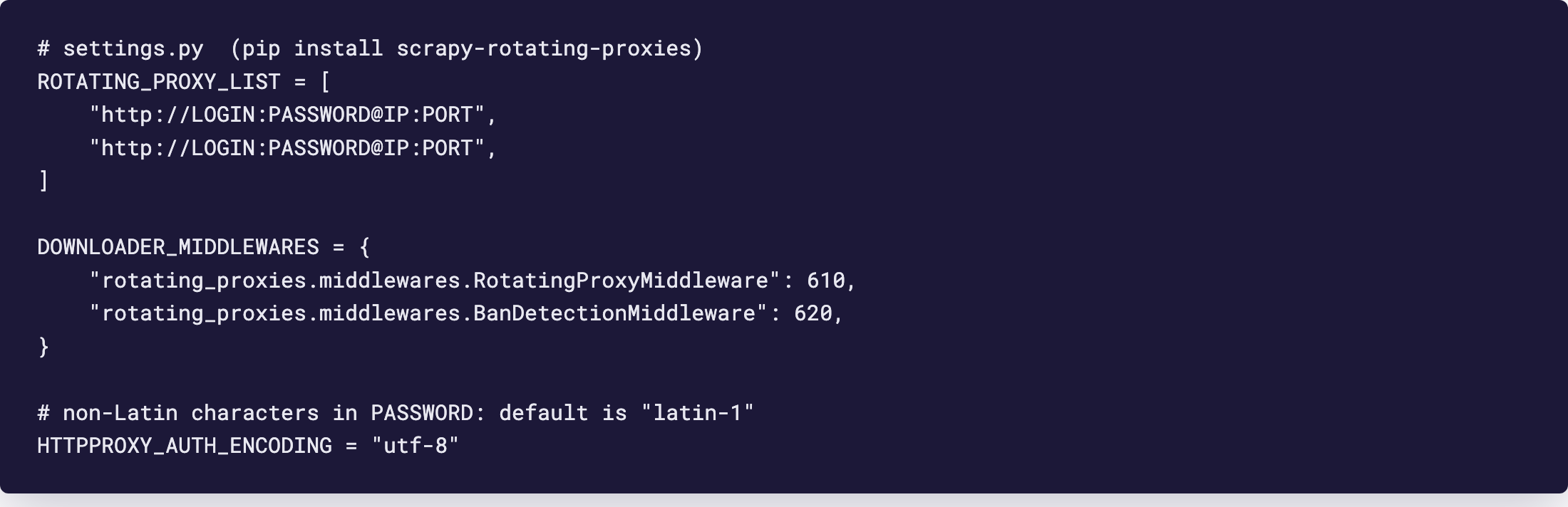
A datacenter or ISP plan gives you a list, and a list wants a rotator. The third-party package scrapy-rotating-proxies reads ROTATING_PROXY_LIST or ROTATING_PROXY_LIST_PATH; the file wins if both are set. Entries may carry credentials, the README shows login:password@host:port forms. The default ban rule treats a non-200 status, an empty body or an exception as a ban; override it with ROTATING_PROXY_BAN_POLICY or the spider methods response_is_ban and exception_is_ban.
# settings.py, pip install scrapy-rotating-proxies
ROTATING_PROXY_LIST = [
    "http://LOGIN:PASSWORD@IP:PORT",
    "http://LOGIN:PASSWORD@IP:PORT",
]

DOWNLOADER_MIDDLEWARES = {
    "rotating_proxies.middlewares.RotatingProxyMiddleware": 610,
    "rotating_proxies.middlewares.BanDetectionMiddleware": 620,
}
The package assumes distinct proxies. Per-IP plans only, not a single rotating gateway.
6 Verify it works
Run scrapy crawl ip with the spider from section 4. The log prints the JSON from https://ipinfo.io/json, and the ip field must show the proxy address, not your own. On an ISP or datacenter plan that is the address from your dashboard, on Residential or Turbo it is an address from the pool in the country you picked.
Second check, cheaper than it sounds. Log response.meta['proxy'] inside parse. Proxy URL without the login means the middleware ran and built the header. Password still there means the middleware is disabled or ordered after yours.
7 Which GeekProxy product fits
A crawl at volume wants breadth, so Residential Turbo rotating over HTTP, or Residential Flex rotating, which is TCP only and therefore fine for a crawler. Flex adds the -os-windows exit filter for targets that look at TCP fingerprints. Sites that tie cookies to an address get a sticky login per item, as in section 5. Polling a few APIs is cheaper on datacenter IPv4 or ISP static IPs: a short list in ROTATING_PROXY_LIST, no traffic counter. Take the HTTP strings in all cases. Mobile is for targets that insist on a carrier network.
8 Common issues
407 Proxy Authentication Required after switching proxy per request
The new meta['proxy'] points at a different URL without credentials, so the middleware dropped the old header. Put LOGIN:PASSWORD@ in every proxy URL you set, including the ones in retries you build by hand.
The environment proxy is ignored for some requests
Those requests carry meta['proxy'], which always wins. Also check for meta={"proxy": None}, which disables the proxy for a request on purpose.
Wrong password, although it is correct
Non-Latin characters are encoded as latin-1 by default. Set HTTPPROXY_AUTH_ENCODING = "utf-8". A password with @, : or # goes percent-encoded inside the URL.
socks5:// URL fails with the default handler
Only the httpx handler supports SOCKS. Install scrapy[httpx] and switch DOWNLOAD_HANDLERS, or use the HTTP port of the same plan.
Get proxies for Scrapy
Rotating residential by the gigabyte, or static ISP and datacenter IPs with no traffic counter, ready in seconds.
Place an order