
Set up GeekProxy Flawless in Shadowsocks clients
One GeekProxy product speaks Shadowsocks: the Flawless datacenter plan. This guide connects it in three desktop clients: v2rayN on Windows, Outline with an ss:// key, and Clash Verge Rev through a YAML profile. It also explains the system proxy and TUN modes they share. Any other GeekProxy plan uses HTTP or SOCKS5 and belongs in a different guide.
You'll need: an active Flawless plan and its Shadowsocks details from your dashboard. First connection in about five minutes.
Get proxies1 Before you start
A Shadowsocks server is described by four values: server address, port, password and encryption method (the cipher). Every client below takes those four, either as separate fields or packed into one ss:// link. Nothing else is needed, and there is no username.
Every client also makes the same choice after connecting. System proxy mode changes the operating system's proxy setting and catches browsers and other programs that respect it. TUN mode installs a virtual network adapter and takes over everything, including programs with no proxy support, but it needs administrator rights or a service mode. Start with system proxy. Move to TUN when a specific program ignores the system setting.
About the client you may have heard of: NekoRay for desktop was archived on 17 March 2025, read-only, last release 4.0.1 from December 2024, Windows and Linux only. Don't build anything new on it. v2rayN or Clash Verge Rev cover the same ground and are maintained.
What you'll need
- An active Flawless datacenter plan. Shared and dedicated datacenter, ISP, residential and mobile plans have no Shadowsocks
- The Shadowsocks details from your dashboard: server, port, password, method
- One of: v2rayN 7.25.6 (Windows, Linux, macOS), Outline Client (Windows, macOS, Linux, iOS, Android), Clash Verge Rev 2.5.8 (Windows 10 and 11, macOS 12 and newer, Linux)
- FieldWhere it comes from
- ProtocolShadowsocks (Flawless plan only)
- ServerIP from the dashboard
- Portfrom the dashboard
- Passwordfrom the dashboard
- Methodthe cipher name from the dashboard
2 Where to get your credentials
- Log in to your GeekProxy dashboard
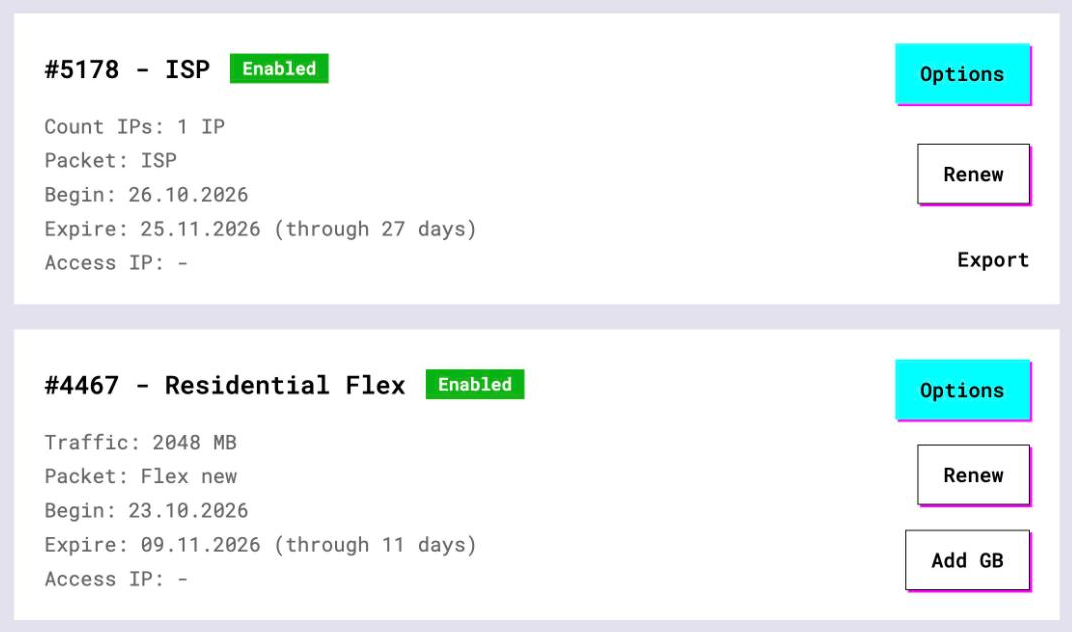
- Open the Flawless plan. Per-IP plans list their access details on the card, and Export gives you the whole list as text
- Note the four Shadowsocks values: server, port, password and method. If the dashboard also offers a ready
ss://link, copy that, it saves typing
The same Flawless IPs also work as plain HTTP and SOCKS5 proxies with login and password. That path is covered in the browser and OS guides, this one is Shadowsocks only.
3 v2rayN on Windows
v2rayN is a GPL client for Windows, Linux and macOS that drives the Xray or sing-box core. Version 7.25.6 is from 11 October 2026, and the releases are GPG-signed. On Windows take the x64 zip, unpack it and run it.
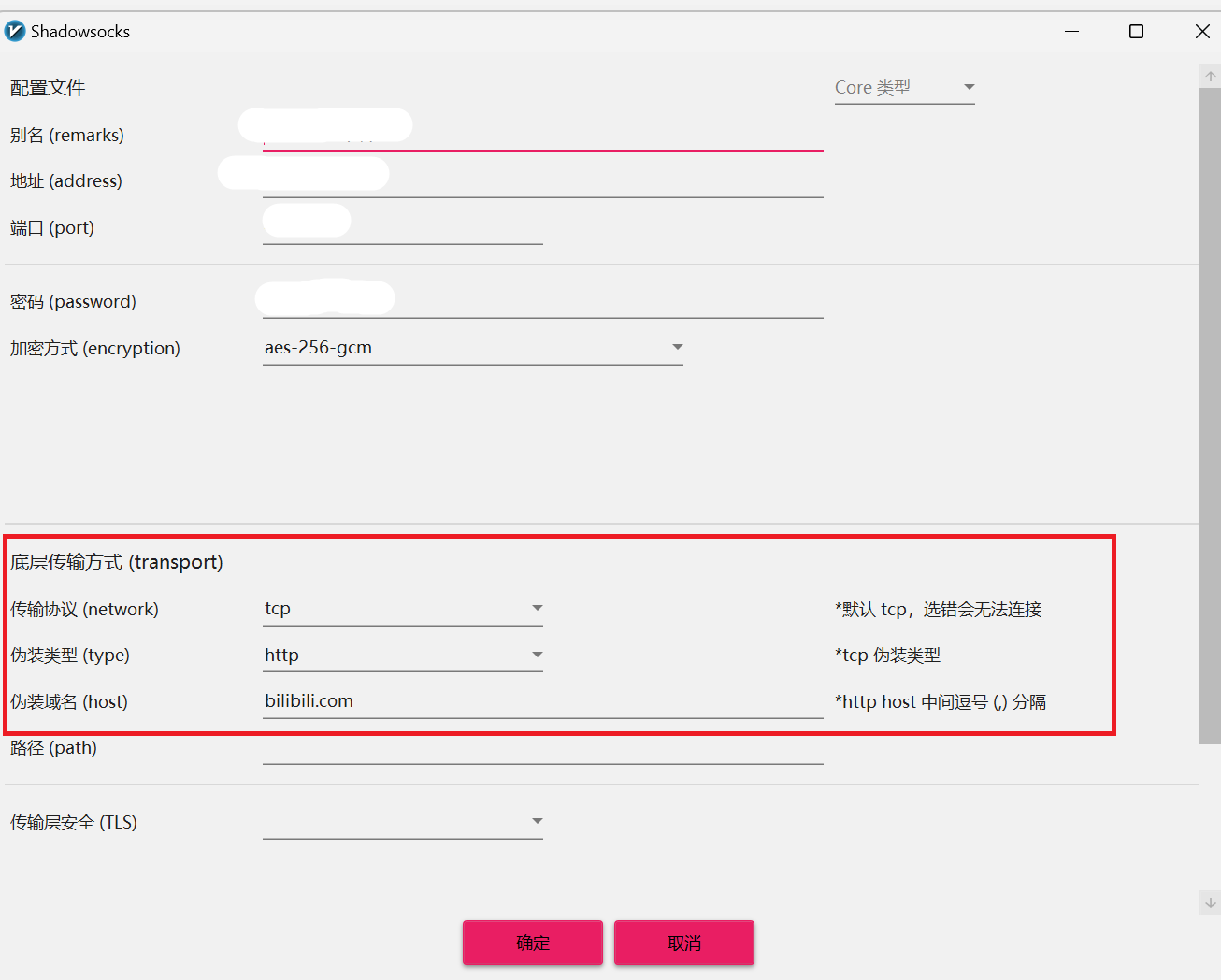
- Open the Configuration menu and choose Add [Shadowsocks]
- Fill Address with the server IP, Port with the port, Password with the password
- Set Encryption method (security) to the method from your dashboard, letter for letter. Leave Allow Insecure alone, it only concerns TLS transports
- Save, select the server in the list
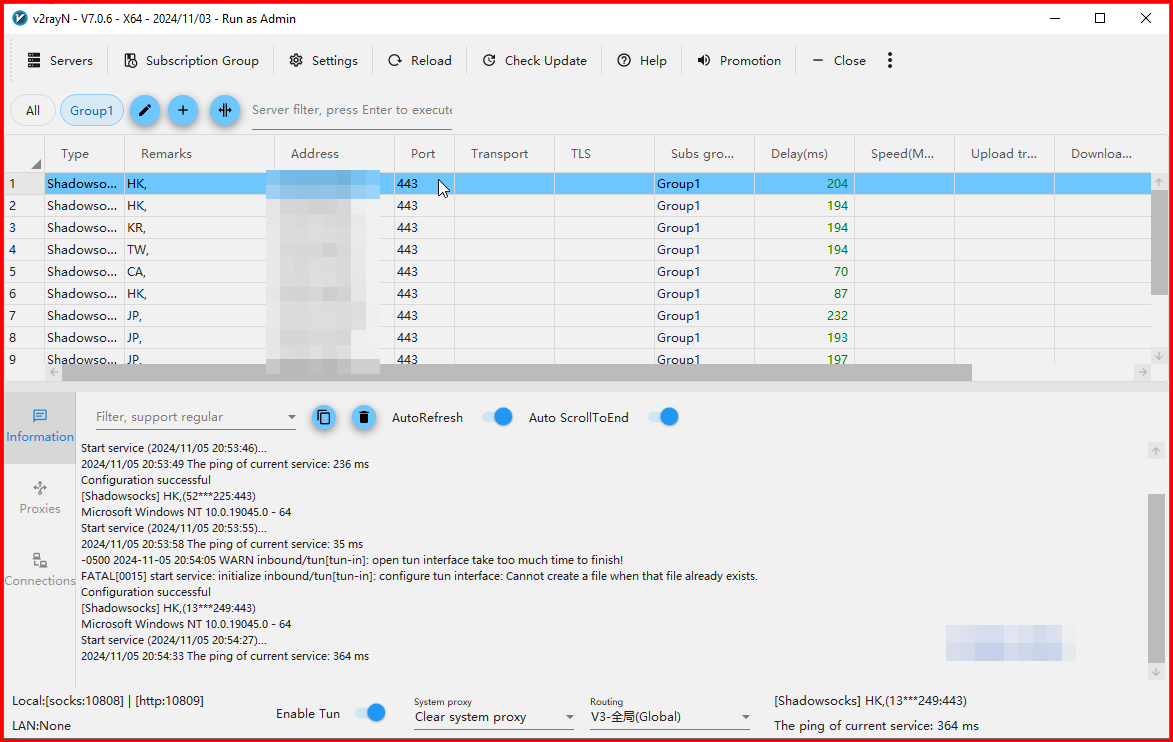
- In the System proxy menu pick Set system proxy
With an ss:// link there is a shortcut: copy it and use Import Share Links from clipboard, or just press Ctrl+V in the main window. The clipboard import tries subscription URLs, share links and raw configs in that order.
The System proxy menu has four entries. Set system proxy forces the OS proxy to v2rayN on every start, and Clear system proxy removes it. Do not change system proxy leaves whatever another program set. PAC mode is Windows-only, with a script that sends listed hosts to the core. The local inbound is SOCKS on port 10808 by default, with UDP on, and you can point any SOCKS-aware program at 127.0.0.1:10808 regardless of the system proxy choice.
For programs that ignore all of that, turn on Enable Tun. Its settings hold the Stack (gvisor, system or mixed, gvisor by default), Auto Route, Strict Route and the MTU. TUN is the main reason v2rayN asks to restart as administrator.
4 Outline with an ss:// key
Outline Client is Apache-2.0 software from Jigsaw, built for servers deployed with Outline Manager, and its README says it works with any Shadowsocks server. It runs on Windows, macOS, Linux, iOS and Android as a device-wide VPN. There is no form with four fields. The only documented input is an access key, and the key is an ss:// link.
Outline's developer docs show what such a key looks like: ss://, then a base64 string, then @, the host and the port. The base64 part is the method and the password joined by a colon. Build yours like this:
# the part before @ is base64 of METHOD:PASSWORD (macOS, Linux, Git Bash)
echo -n "METHOD:PASSWORD" | base64

# then assemble the key
ss://BASE64@SERVER:PORT
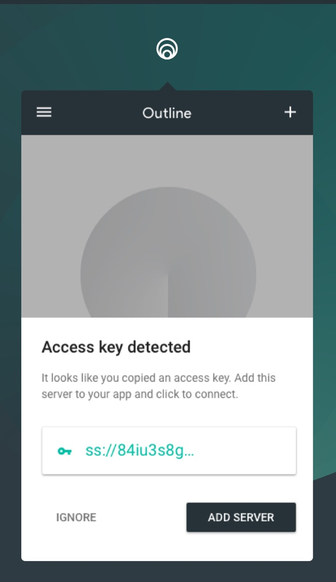
Paste the whole key into Outline's add-server screen and connect. Outline's troubleshooting page insists on one detail: the key must start with the five characters ss://, and a copy from some pages drops them. If the dashboard already gives you a link, skip the assembly and paste it as it is.
5 Clash Verge Rev with a YAML profile
Clash Verge Rev is a Tauri desktop shell around the Mihomo core, version 2.5.8 from 9 October 2026, Windows 10 and 11, macOS 12 and newer, and most Linux families. The project publishes only through GitHub Releases, so get it there. On Windows it needs WebView2, and there is an installer variant that bundles it.
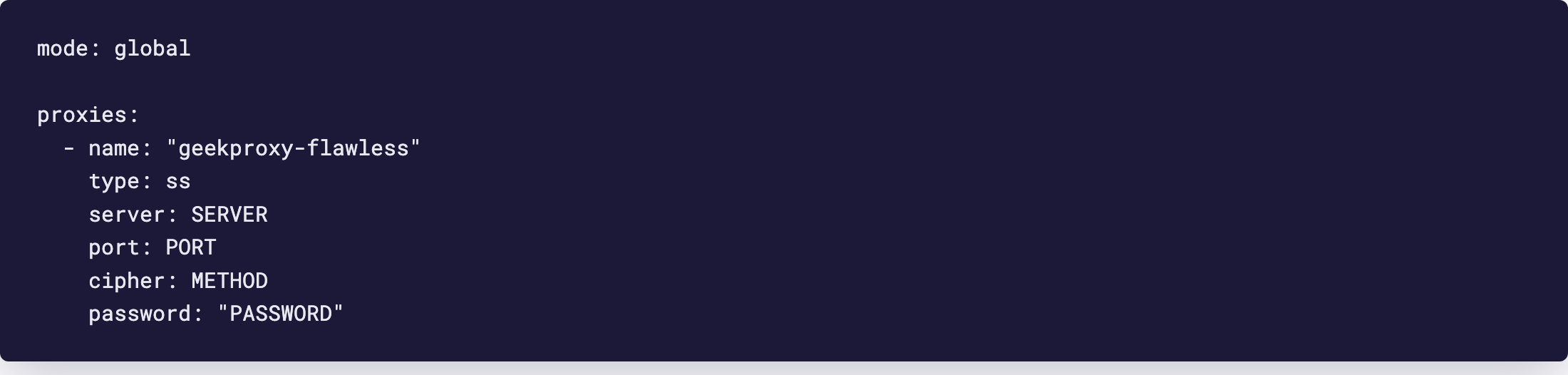
The documented ways to load a config are a subscription URL, a URL scheme, or a local profile created by hand or dropped onto the Profiles page. Importing a single ss:// link is not documented, so use a local YAML profile. Mihomo's own example for a Shadowsocks outbound, with GeekProxy tokens:
mode: global

proxies:
  - name: "geekproxy-flawless"
    type: ss
    server: SERVER
    port: PORT
    cipher: METHOD
    password: "PASSWORD"
- Open Profiles, create a new local profile and paste the YAML above, or drag the file onto the page
- Select the profile, then pick the node
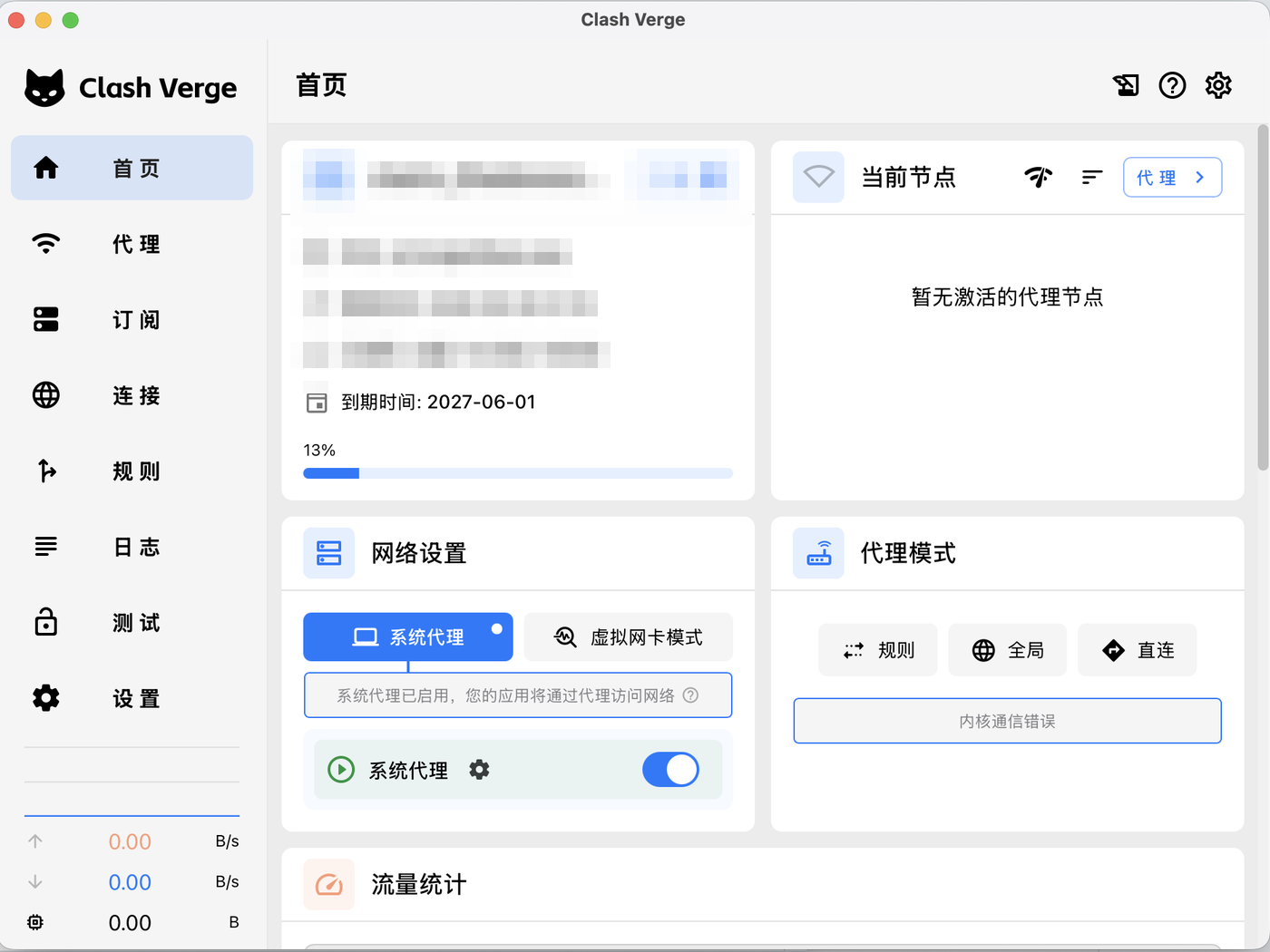
- On the home page switch on System Proxy. The docs say this covers most browser-based needs
- For programs that ignore the system proxy, such as games and command-line tools, switch on TUN Mode
Mihomo has three modes: rule matches each connection against rules (the default), global sends everything through the selected node, direct sends everything locally. The profile above starts in global because there are no rules in it. TUN on Windows wants either Service Mode from Settings, where a service carries the admin rights, or the app started as administrator every time. Without it the app runs in Sidecar mode and TUN is unavailable.
The cipher name must be one Mihomo knows. Its list includes aes-128-gcm, aes-192-gcm, aes-256-gcm, chacha20-ietf-poly1305, xchacha20-ietf-poly1305 and the 2022-blake3 family. Copy the name from the dashboard exactly.
6 Verify it works
Connect, then open https://ipinfo.io/json in a browser. The ip field must show the Flawless address from your dashboard, not your own, and the org field should name a hosting network rather than your home provider. In system proxy mode only programs that respect the OS setting pass the test. In TUN mode, or with Outline, every program does.
A second check for the SOCKS route: point a tool at 127.0.0.1 and the client's local port (10808 in v2rayN by default) and request the same page. Same IP, the local inbound works too.
7 Which GeekProxy product fits
For Shadowsocks the answer is short: Flawless datacenter, the only GeekProxy product with the protocol. The same three clients also accept plain SOCKS5 and HTTP outbounds with login and password, v2rayN through Add [SOCKS] and Add [HTTP], Mihomo through its socks5 and http proxy types. That opens ISP static, Residential Turbo and mobile plans to the same system proxy and TUN workflow. Residential Flex works there too, as TCP only, so keep UDP off for it. Whether UDP travels over the Flawless Shadowsocks link is not something we promise here; test it before you rely on it.
8 Common issues
Connected, but pages time out
The method is wrong. Shadowsocks has no login step that fails loudly, a cipher mismatch just produces garbage. Compare the method name with the dashboard character by character.
Outline says the key is invalid
The key lost its ss:// prefix in the copy, or the base64 part was built from the wrong order. It is method, colon, password, and echo needs -n so no newline sneaks in.
The browser works, a game or messenger does not
That program ignores the system proxy. Turn on TUN in v2rayN or Clash Verge Rev, which needs administrator rights or service mode, or use Outline, which is a VPN for the whole device.
No internet after closing Clash Verge Rev on Windows
The system proxy was left behind. The project's own FAQ says to open Windows Settings, Network and Internet, Proxy, and switch off "Use a proxy server".
I have a GeekProxy plan and no Shadowsocks details
Then it isn't a Flawless plan. Other plans are HTTP and SOCKS5 only. Either order Flawless or add the plan as a SOCKS5 outbound in the same client.
Get Flawless proxies for Shadowsocks
Datacenter IPv4 with Shadowsocks, HTTP and SOCKS5 on the same address, no traffic counter.
Place an order